
Keyboard for HP 14T-BS1XX US
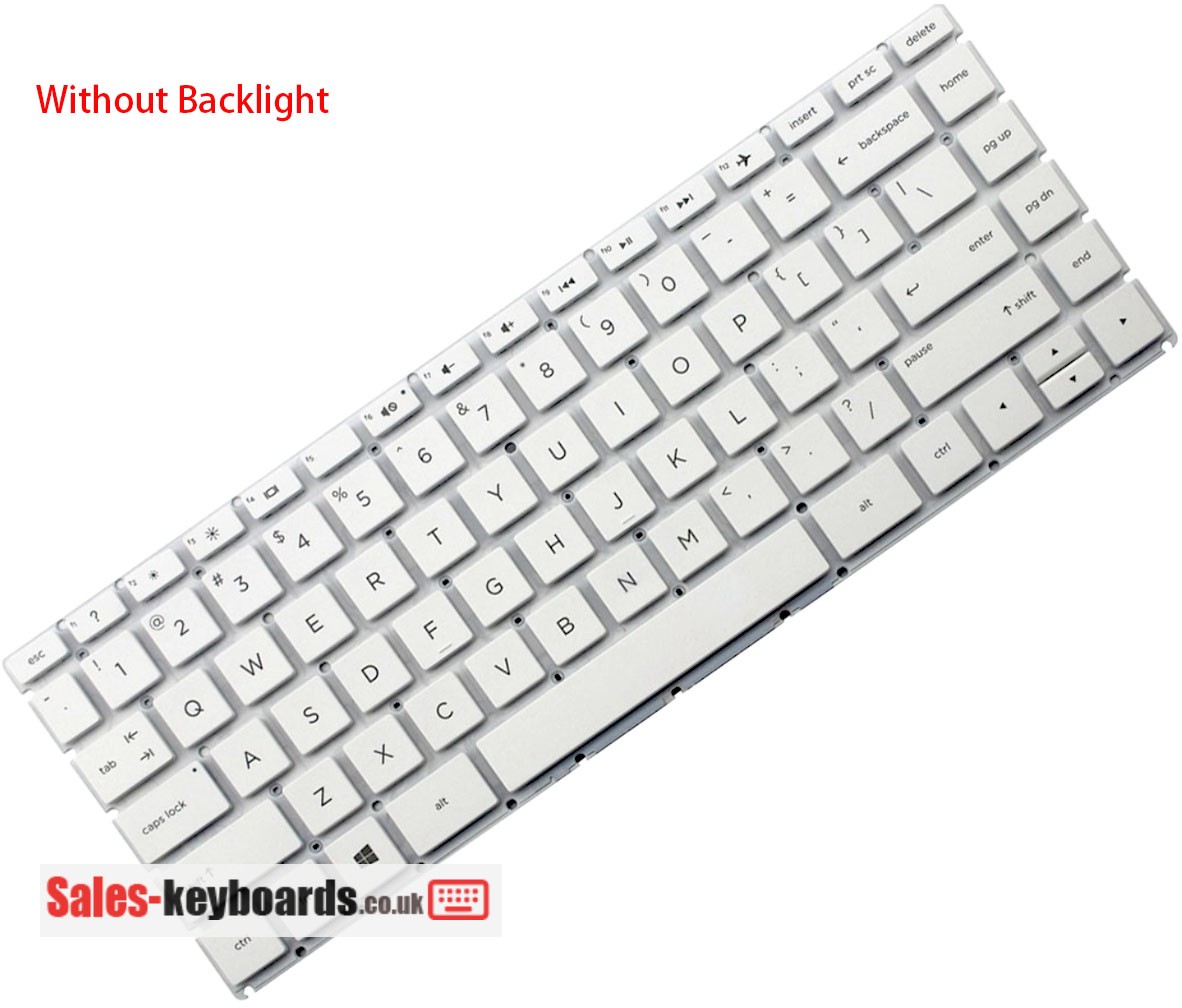

Remark :
Without Frame, Just keyboard, Ribbon cable included.
Keyboard for HP 14T-BS1XX UK
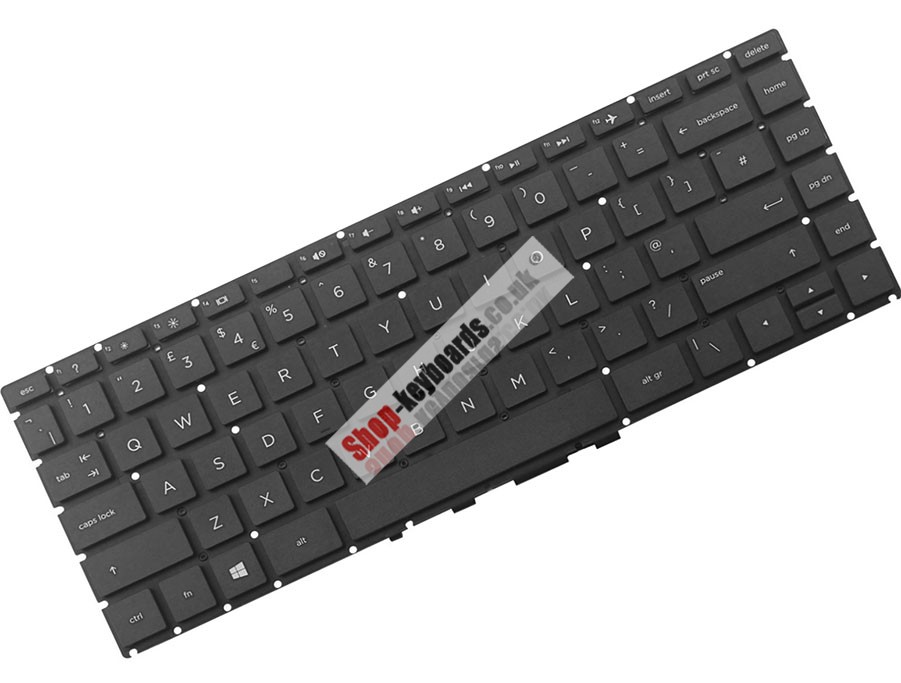
Remark :
Without Frame, Just keyboard, Ribbon cable included.
- Model: 14T-BS1XX
- Category: Laptop-Keyboards
- Description: High Quality ,Brand-New, Keyboard
- Regulatory Approval: CE, UL, ISO9001, ROHS Etc.
- Warranty: 30 days money back, 3 months warranty.
Product Info.
Please review the following information.
Backlighting requires motherboard support. If available, the backlight can be activated.
Please note that the part number(PN) on the item you received may differ from the PN listed in the title. We can only confirm that our item is compatible with the PN we advertised. If you require the exact PN, please contact us before placing your order.
If keyboard has no frame, please make sure that your new keyboard purchase has an EU-style '7' shape  enter key or a US-style rectangle shape enter key that is the same as your old keyboard's. Otherwise, the keyboard won't fit in your keyboard Frame/TopCase/C-Cover.
Keyboard Layout & Languages
| Layouts | Languages |
|---|---|
| UK | United Kingdom English, With £ symbol |
| US | United States English |
| UI | United States English(International), With € symbol |
| FR | French(Français), With à ç è é ô ù symbol |
| GR/DE | German, With Ä ä Ö ö Ü ü symbol |
| IT/ITA | Italian, With è é á symbol |
| LA-SP | Español(Spanish), With ñ á !¡ ¿? symbol |
| PO/POR | Portuguese(Português), With ç õ § symbol |
| SW/CH | Swiss/Germanic, With ä ë ö symbol |
| NE/ND | North Europe(Nordic), With Æ Ø Ö Ä symbol |
Note:Different language versions of keyboards are universal, when a languages version you needed was out of stock, it may also be replaced by other languages version.
More keyboard LanguagesCompatible Part Numbers
Fit Laptop Models
Note:Not all models compatible with this specific keyboard are listed.contact us if you have any questions about laptop compatibility.
Shipping & Payment

After your payment has been processed, we will arrange for shipment within 48 hours. We will then send you a tracking number via email to confirm the shipment.
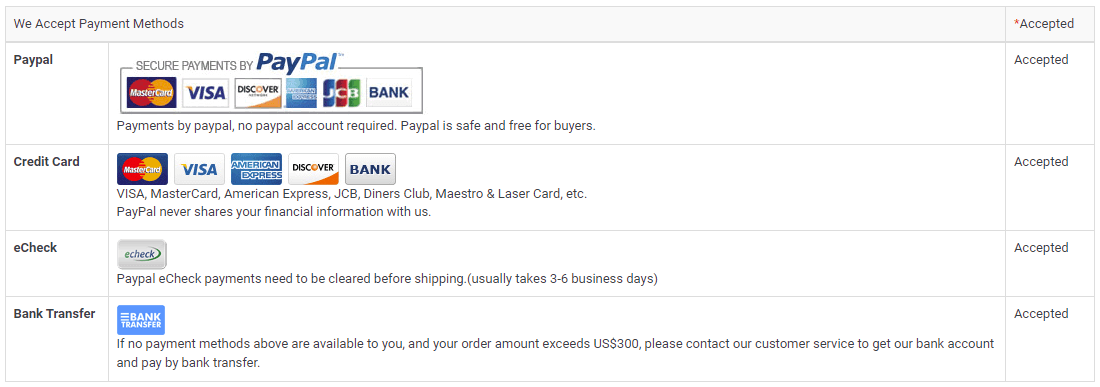
Note:We use "Paypal Express Checkout" as the check out process (Suggested revision), the order will be shipped to your PayPal address. if you want to change address, please Change Shipping Address in time. We are not responsible for wrong or undeliverable address.
Note: Rest assured that the safest option available to you is to store your personal information in your PayPal account, rather than on our website. By doing so, you can be confident that your information is always kept secure
Warranty
30 Days Money Back Guarantee
Our objective is to convert partial customer satisfaction to "Total Customer Satisfaction". To achieve this, we provide a 30-day money-back guarantee, except for warranty and return for defects.
3 months Warranty
We also offer a 3 months warranty for our Keyboards from the purchase date. Please note that replacement items don't extend or restart the warranty period.
Please note In order to qualify for reimbursement, it is essential that you contact our customer service team first to obtain the necessary instructions before returning your parcel.
Returns
If you encounter any issues with a keyboard purchased from us, please reach out to us first. We will handle your request and work towards finding a solution. If our technical support team is unable to resolve the issue, we will provide you with an RMA number (Return Material Authorization). Upon inspection and determination of a defective Keyboard, a new Keyboard will be sent to you at no additional cost.
Just a friendly reminder: Please make sure to obtain an RMA number before returning any Keyboards. We won't be able to process your return without it.
Laptop Keyboards FAQ
A: part number is a unique identifier that is assigned to a part to simplify referencing and to unambiguously define a part within a single manufacturer. Knowing about part number of the keyboard will more accessible to buy a correct keyboard, and it is comparatively accurate to search a keyboard by its part number than the model name of laptop . If the keyboard isn't easily accessible, turn to your laptop manufacturer's website for guidance.
To locate the Model Name/Number of your device, follow these steps:
1In most laptops, the label containing the information is located on the lower side of the device. First, unplug the laptop from any AC cable and shut it down.
2Turn the laptop over and keep it in a safe place.
3On the base of the laptop, you may see a label with the icon of your computer manufacturer printed on it.
A:
For those who type a lot during the day, especially for work, having light keys to use is important. If your keys are stiff or hard to press down, typing can become a chore.
A keyboard with broken keys is not enjoyable to use, whether they stopped working due to a coffee spill or rage gaming. If the keyboard doesn't work properly, it can become a nightmare to deal with.
1 To keep your keyboard in good condition, it's important to clean it regularly using a soft cloth to remove dirt or dust.
2 Additionally, it's best to avoid spilling liquids on your keyboard and refrain from hitting the keys too hard, as this can cause them to wear out more quickly.
3 When not in use, store your laptop in a cool and dry place.
A: Using your keyboard properly can help avoid soreness or injury to your wrists, hands, and arms, particularly if you use your notebook for long periods. Here are a few tips to help improve keyboard use:
1 Position your keyboard at elbow level, with your upper arms relaxed at your sides.
2 Center your keyboard in front of you. If your keyboard has a numeric keypad, you can use the spacebar as a centering point.
3 Type with your hands and wrists floating above the keyboard, so you can use your entire arm to reach distant keys instead of stretching your fingers.
4 Refrain from resting your palms or wrists on any surface while typing. If your keyboard has a palm rest, use it only during breaks from typing.
5 Type with a light touch and maintain straight wrists.
6 Relax your arms and hands when not typing.